Run Your Own Farmstead: How to Grow Crops and Stock Market Displays
Plant crops in Run Your Own Farmstead through the build menu, then carry produce to a market display and restock it to sell. Here is how each step works.
In Run Your Own Farmstead, planting crops and stocking your market displays are each a short, repeatable process. This guide covers both: placing plants on your farm through the build menu, and getting the produce you are carrying onto a display so it can sell.
How to plant crops on your farm
- Open the build menu.
- Choose a plant type — strawberries and tomatoes are among the crops you can pick from.
- Place it on your farm in the spot you want that crop.
- Exit and reopen the menu to keep planting. Placement is repeatable, so you can set down several of one crop, then go back in and place another — for example, a patch of strawberries first, then a tomato plot after.
If you are just starting out, the tutorial introduces planting hands-on: its farming step — around the 18th tutorial task — has you place strawberries and then click through a picking interaction, so you will see planting handled in game.
How produce in hand gets stocked into market displays
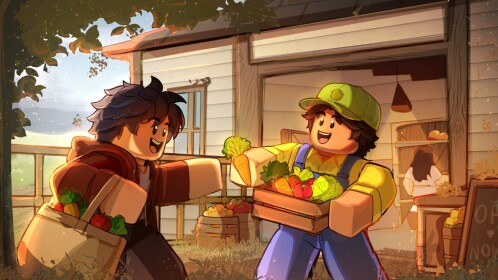
The game's official description sums up the intent: plant fruits and vegetables, bring fresh produce to your market, then fill your displays and serve customers. The stocking step works like this:
- Take the produce you want to sell — whatever you are carrying, for example eight carrots at a time.
- Walk to the display and restock it. Restocking is the action that moves produce from your hands onto the shelf.
- Confirm the display took the stock. In the carrot example, the display held all eight.
- Restock again as stock runs out. Stocked displays sell through the day; once the stock is finished, take more produce and refill. A full day of selling like this ended in profit.
The practical takeaway: restock first, then take more produce and refill while the shelf sells. Do not leave a display sitting empty if you have produce ready to go.
The stocking displays guide goes deeper on the market side. If you are still finding your feet, the how to play guide covers the basics, and it is worth a quick stop at the codes page before you start expanding.
Related Guides
How to Stock Displays
Stock shop shelves from harvest boxes, handle refills after sales, and see when a stocker takes over.
Market Guide: Run a Full Market Day
Run a complete market day: harvest, haul produce to displays, sell through the day, and reinvest profits.
How to Play: First Steps and the Crop-to-Market Loop
Finish the tutorial for a 500 bonus, then follow the crop-to-market loop that drives every farm day.
Codes
The current Run Your Own Farmstead code list with reported rewards, status dates, redemption steps, and the expired archive.